I like the concept of visual note taking, Sunni Brown gave a talk at TED encouraging to "doodle". These 5 minutes are well-spend, in my opinion.
Tools for educators and students: Skitch
I came across a great tool today. It's called "skitch". It is available for MAC (app store) and Android phones (market) at the moment. iOS (hence, iPhone and iPad) may also be supported soon. Furthermore, I hope, there'll be a Windows application, but you may also refer to these alternatives. Though Skitch and its alternatives are useful, one can always use basic graphic editors to gain the same results. So, if you have Photoshop, Firefox, Gimp or whatever, you can basically do the same. ...continue reading
Mobile learning applications (iPad) and Bloom’s levels
Bloom taxonomy of learning domains is very useful and widely accepted. But how do mobile learning activities be categorized into Bloom's levels of
- remembering,
- understanding,
- analyzing,
- evaluating,
- creating?
Tools for educators and students III: Blog (Mindmap)
I wanted write a lengthy post. But I've thought, this mindmap might be more helpful.
If it is not shown below, you can access here (file size 5MB).
The ideal blog post
A quick google search gives you plenty of guides, telling you how to compose good blog posts (1, 2, 3 examples). So, why this one? Well, everyone has her/his own ideas about this.
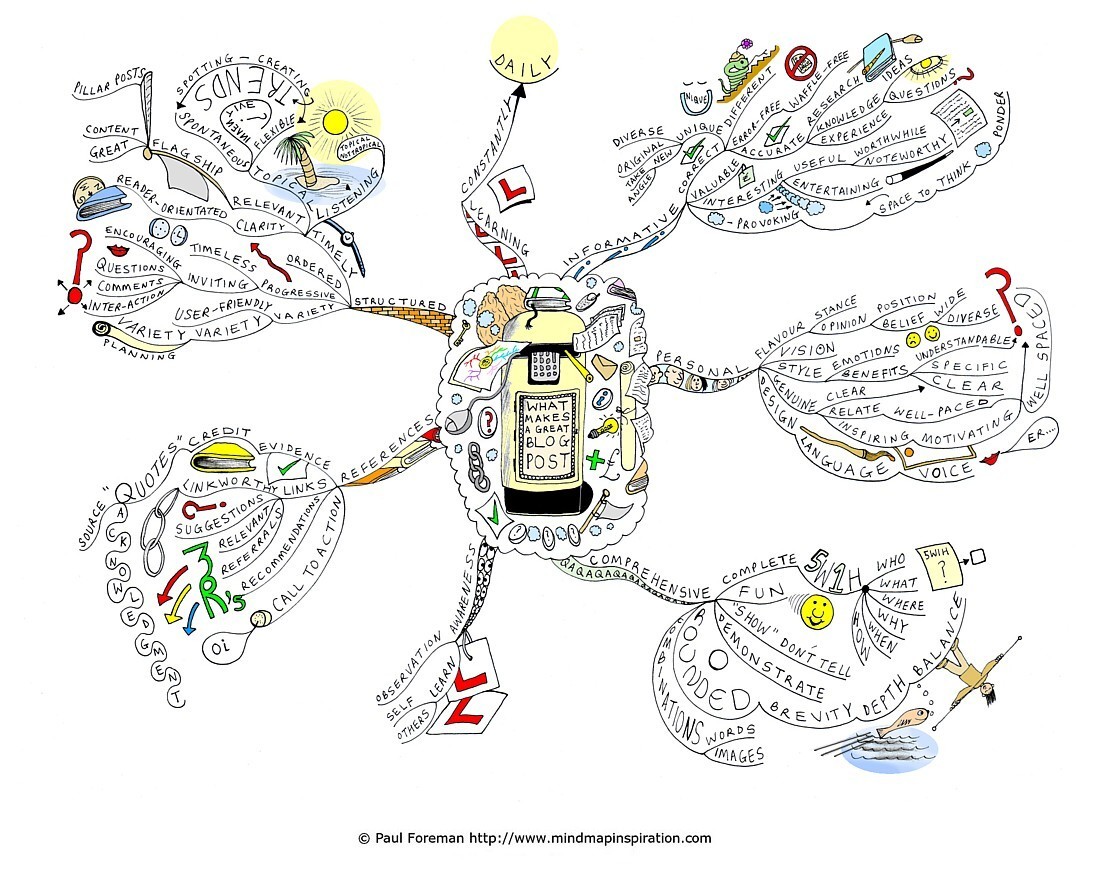
Paul Foreman for mindmapinspiration.com
Here is mine. ...continue reading
Tools for educators and students II: Instapaper and Delicious
These are two bookmarking tools, however, there are differences among them, so it is useful to use both. These examples show perfectly that sometimes two applications make a better job than just one. ...continue reading
Helpful tools – my presentation at the CLS sharing session
First of all, here is my presentation, again.
“lernen” und “Fehler”
I said in class that errors are normal and part of the learning process. Therefore, it doesn't make sense to avoid errors by staying silent in class all the time.
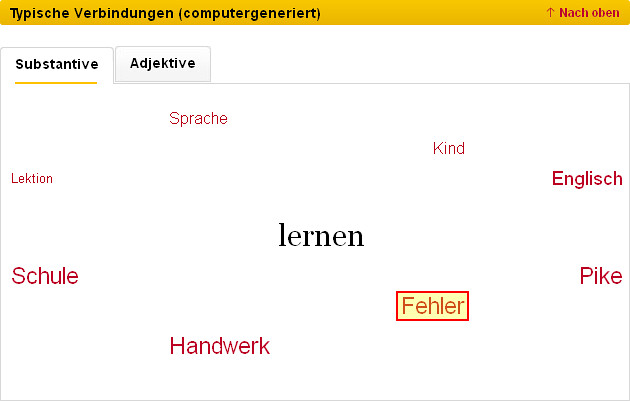
The German dictionary "Duden" (Germans' main reference when it comes to spelling) offers many information relating to a specific word, including typical nouns and adjectives that are often related to a verb like "lernen". And as you can see on the screenshot (taken from: http://www.duden.de/rechtschreibung/lernen on 17 August 2011), the word "Fehler" (error, mistake) is commonly related to the verb "lernen".
Tools for educators and students I: Evernote
I decided to write some comments on the tools I use in my everyday life, as I have realized that some of my colleagues don't know them. The tools will be analyzed with an emphasis on the use for educators and students. These texts are not meant to be critical reviews. I tried out all applications for some time and I like them. However, if there are any negative points or alternatives, which are better, please feel free to comment on the entries.
Let's start with Evernote. It's a note taking application, but unlike other, the notes can be pretty long, you can underline texts, use bold face and italics, different fonts can also be used in one note. And yes, you can also go for different colors. Finally, bullet points, ordered lists and checklists (with checkboxes) are also supported by Evernote.

Evernote, editing possibilities
What makes this application special is synchronization. I work with different computers at home and at work. All notes are saved in the cloud and can be accessed with a web browser from everywhere. However, you can also download different applications for MAC and WIN. If I start Evernote on my computer, it automatically syncs all notes. That means, I can access them on all my computers automatically. ...continue reading
The history of the English language
I like these educational videos that come along with hand-drawn illustration. RSA offers a wide variety under the label RSAnimate. The OpenUniversity has published a histor of English in 10 minutes. Quite funny and educating, it can only seen as the first step to water the mouth learning more about language change and etymology. Unfortunately, they have broken the video apart in 10 parts. So here are all of them.
[youtube http://www.youtube.com/watch?v=r9Tfbeqyu2U]
...continue reading